SPACE INTELLIGENCE · MARKETSPACE
MarketSpace: a card acceptance point behind every door
In-room commerce for hotels, apartments, offices, hospitals and housing. A smart payment screen at the door, desk or bedside: choose, tap and it is delivered. No app, no registration.
Behind the door, payment is still cash, the room bill or an app
01
Hotels
Minibar and room service go to the room bill or are paid in cash. Nobody taps a card in the room, and disputes surface at check-out.
02
Apartments and student housing
Guest apps, payment links and bank transfers; the local tourist fee and service fees are still collected by hand.
03
Hospital wards
Patients and families pay in cash or walk to distant kiosks for meals, TV and small purchases.
One screen: concierge, shop, door and payment
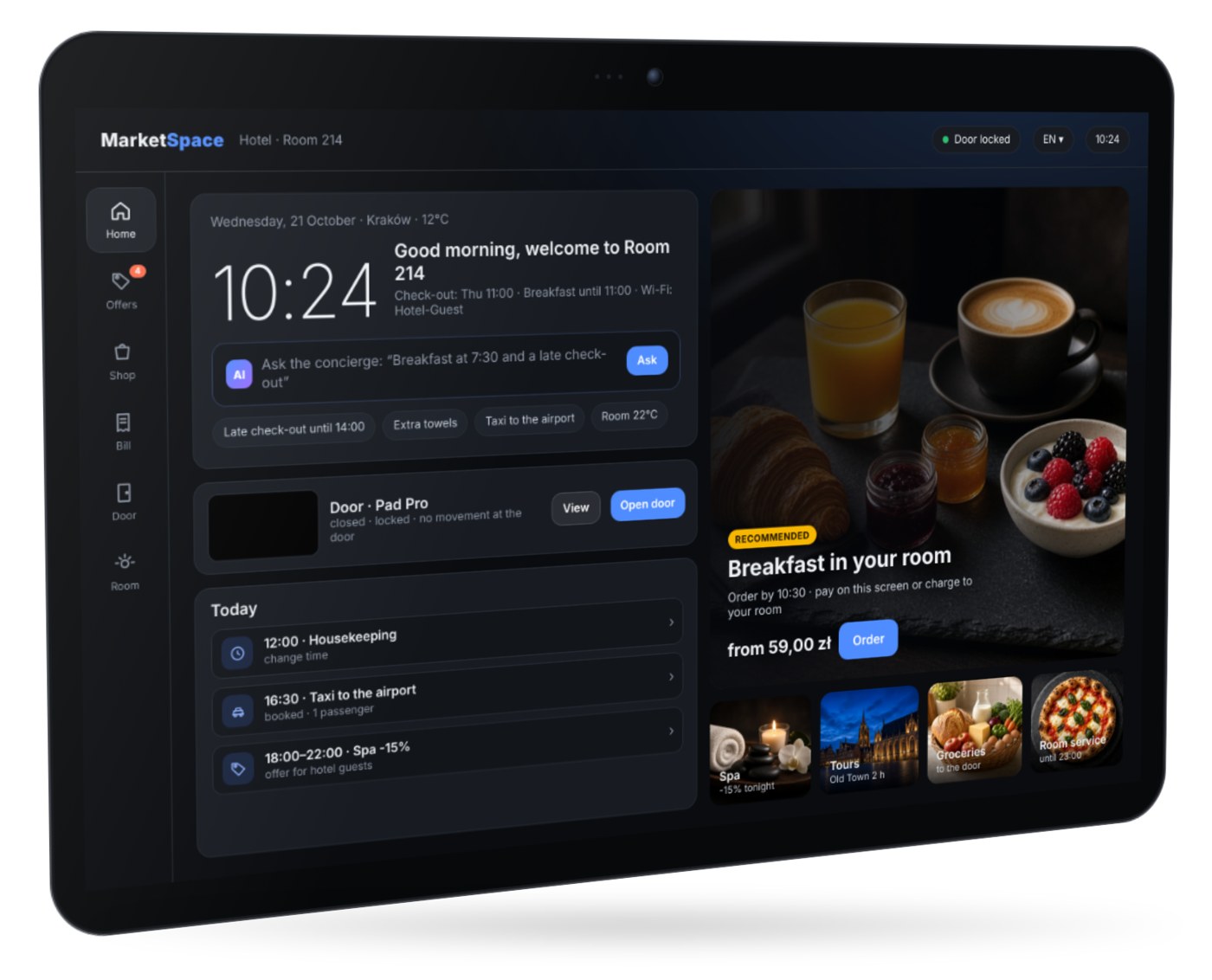
MarketSpace is an 11-inch Android smart payment screen built on WizarPOS smart POS hardware, with SPACE software for the room. Guests order from the building’s catalogue and pay on the same screen by card, watch or phone, or charge the order to the room.
- Contactless card, watch or phone; PIN on glass only when the card asks
- Room home screen with check-out time, breakfast hours and recommended offers
- Door status, door camera, doorbell and do-not-disturb from the SPACE door set
- Six interface languages: Polish, English, German, Ukrainian, Spanish and Portuguese
Choose, tap, delivered
No app, no account, no registration.
01
Choose on the screen
Room service, minibar, the hotel shop, a service or a fee such as the local tourist fee.
02
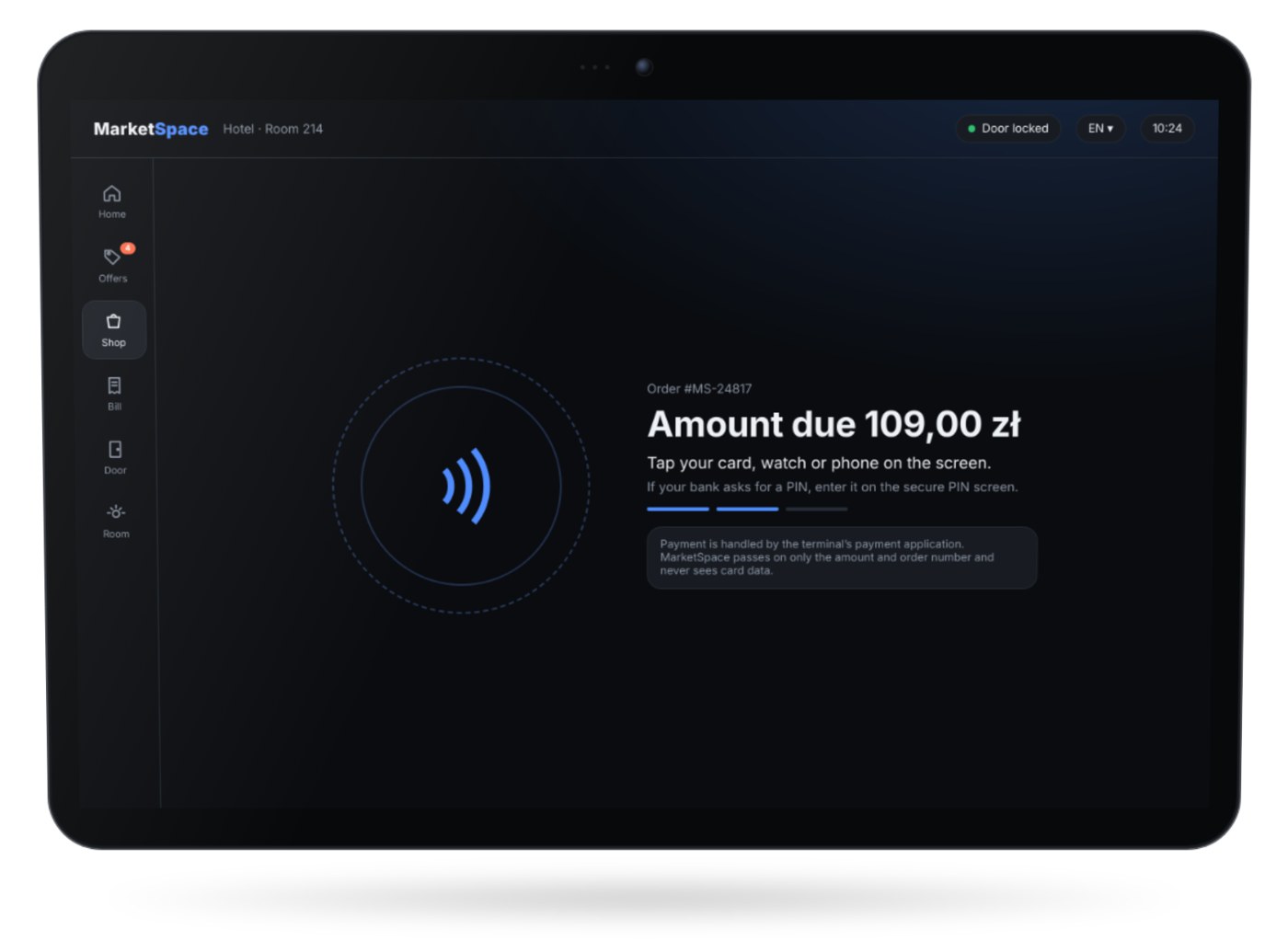
Tap to pay
Card, watch or phone. PIN on glass only when the card asks. Or charge it to the room bill.
03
Delivered
The order goes to the merchant or the hotel, the guest follows its status, and the receipt appears on screen or by e-mail. Every payment is recorded in the ledger at once.
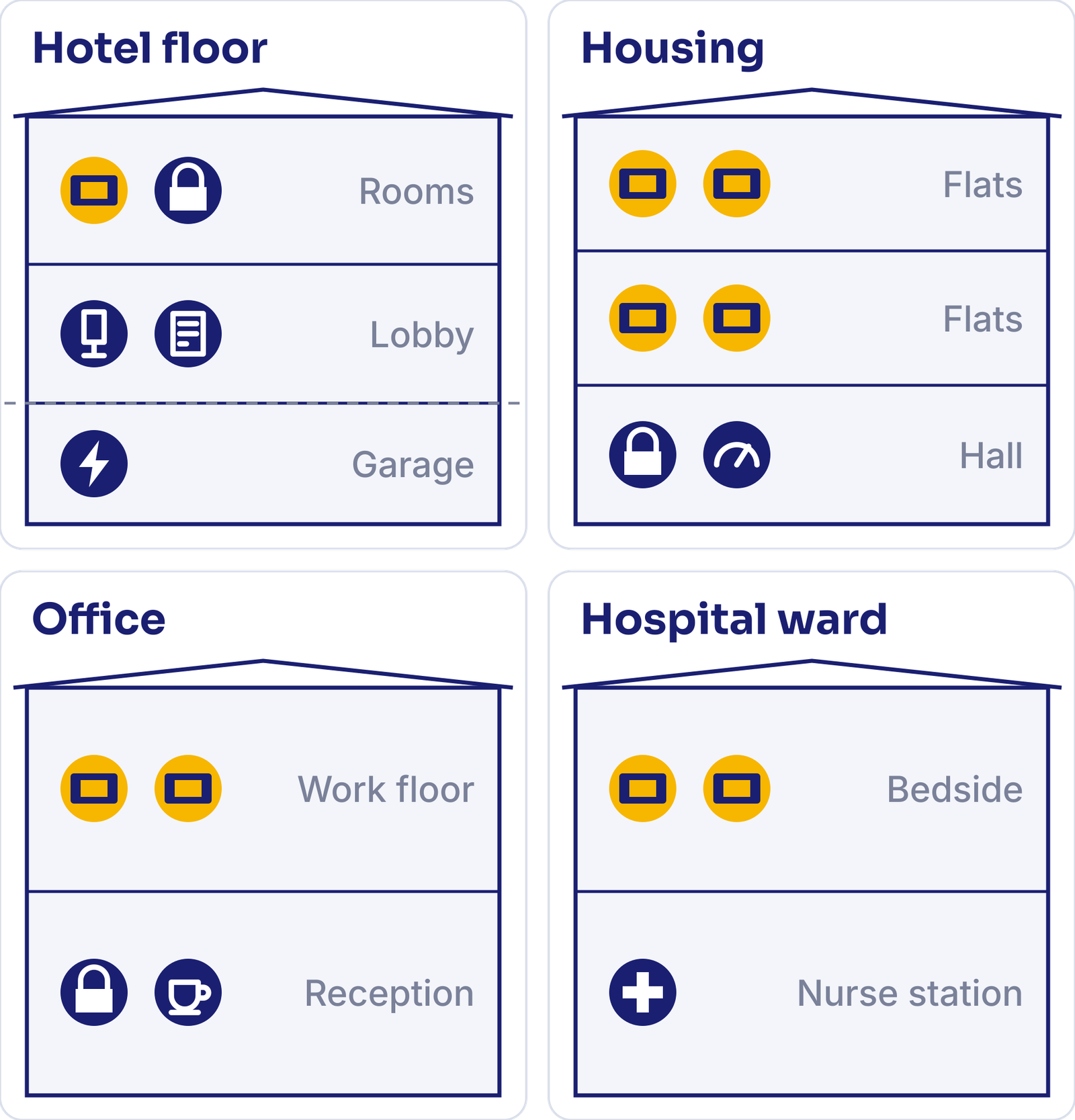
Six kinds of door, one acceptance point
What guests, residents, staff and patients pay for on the screen.
Hotels
Minibar, room service, late check-out and upgrades, paid at the bed.
Serviced apartments
Check-in fees and extras; the local fee calculated and reported for the property.
Offices
Catering, parking and on-site services for staff and visitors.
Hospitals
Patient TV, meals and extras, paid by patients or topped up by their families from afar.
Student housing
Laundry, the shop, deliveries and monthly fees for every room.
Groceries to the door
Prepaid groceries from retail partners, delivered to the door of the room or flat.
Rent, fees and energy, paid at the door screen
In residential buildings the screen at the door or in the hall shows monthly bills: rent, maintenance fees, heating and electricity. Payment goes to the community’s or the supplier’s own merchant account; MarketSpace is the technology provider and does not collect money on anyone’s behalf.
- One ledger per community: every payment matched to the flat and the bill
- Integration with community management systems and energy suppliers
- Paid by card, watch or phone at the door
The screen is the front door to the whole building platform
MarketSpace runs on the same SPACE platform as the doors, intercoms and self-service devices around it.
Door and access
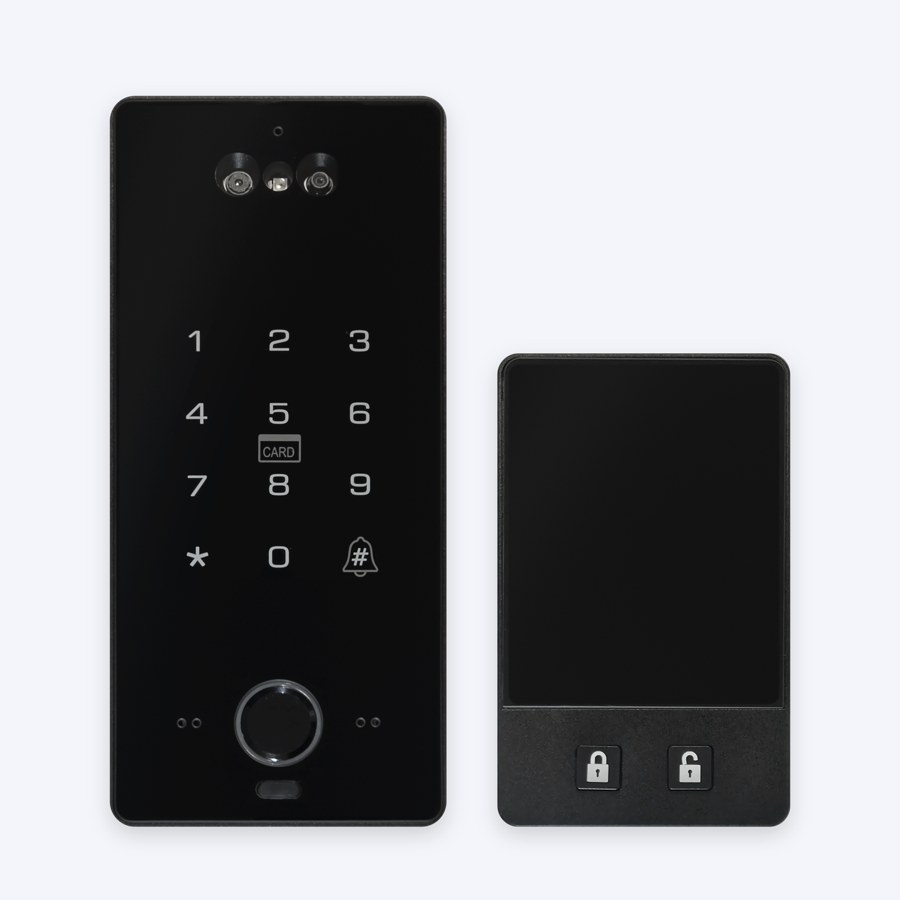
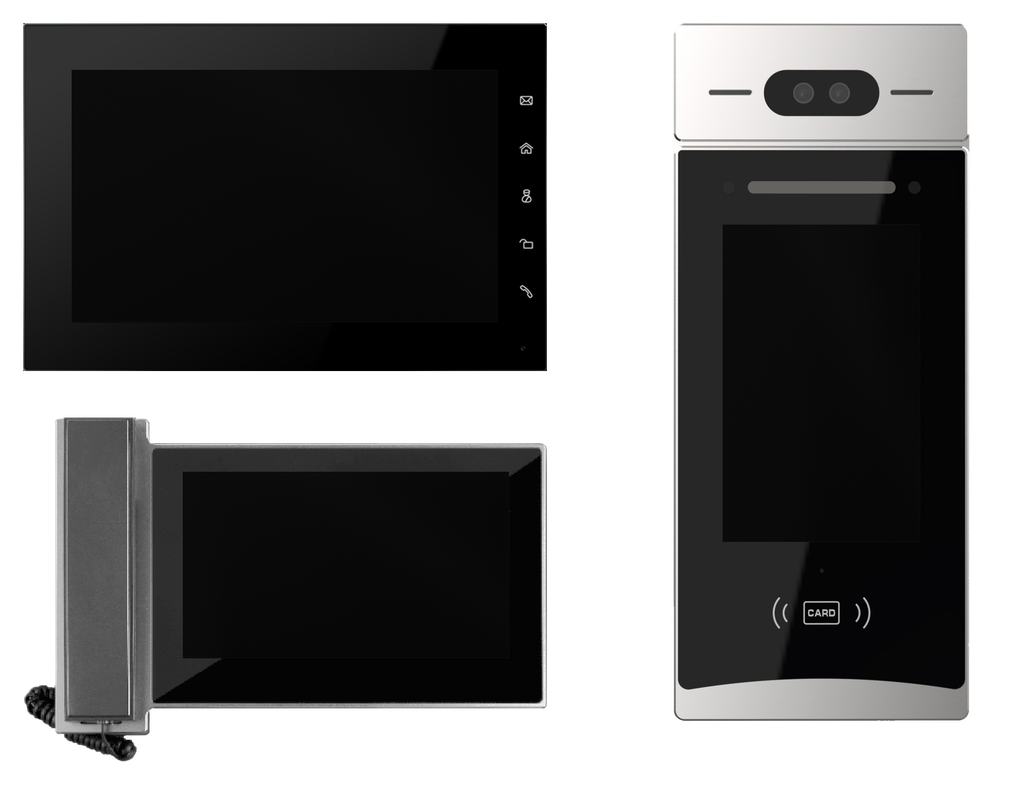
SPACE Pad Pro panels: door lock, intercom and remote reception. Access follows the hotel PMS at check-in and check-out. The MarketSpace screen in the room works as a door viewer and intercom.
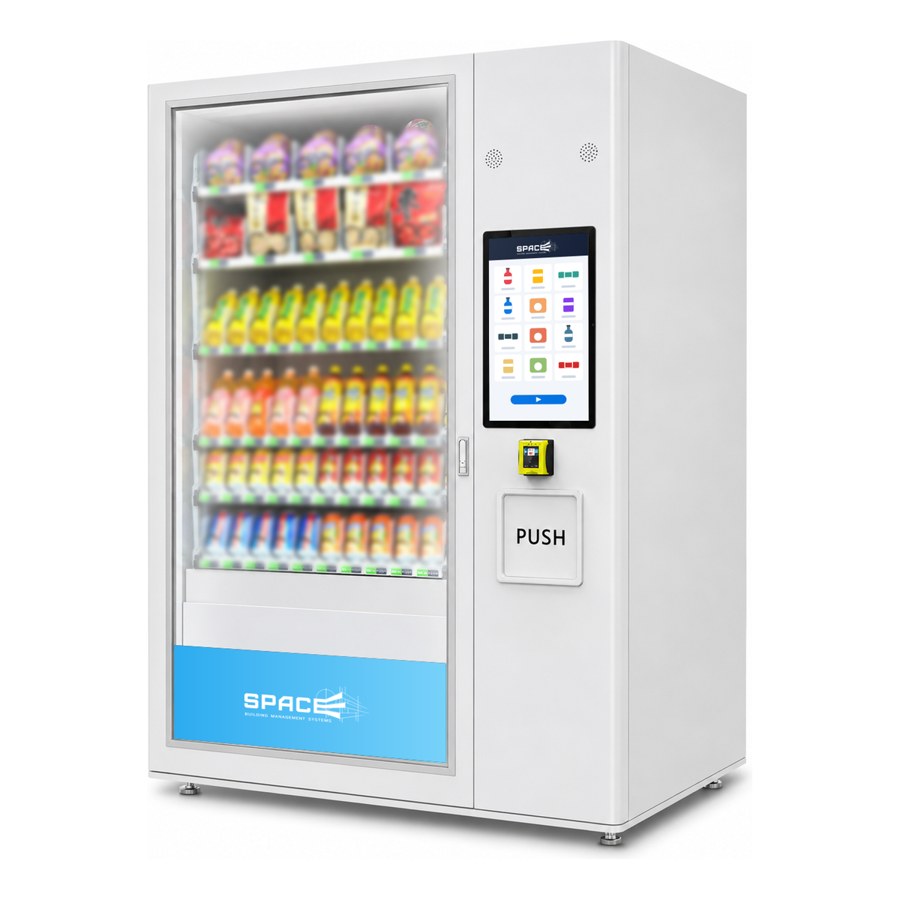
Self-service
SPACE vending takes card, watch and phone. EV charging and phone lockers join the same platform.
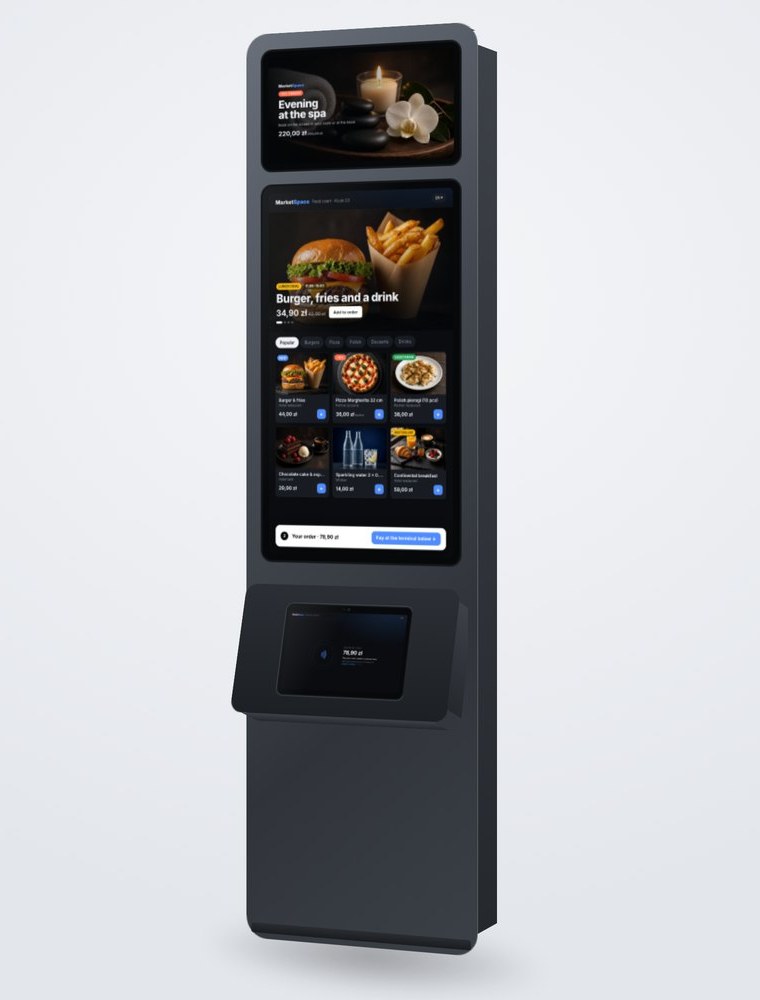
Lobby kiosk
Check-in, payments and fees in the lobby, run from the on-site Space Engine Edge server.
One screen instead of four room devices
The MarketSpace screen takes over the jobs of the intercom indoor unit, the in-room service tablet, the room phone and the door viewer, and adds a card terminal that no room has today. One device to specify, install and support, and one cloud for all of it.
Panel and sales channels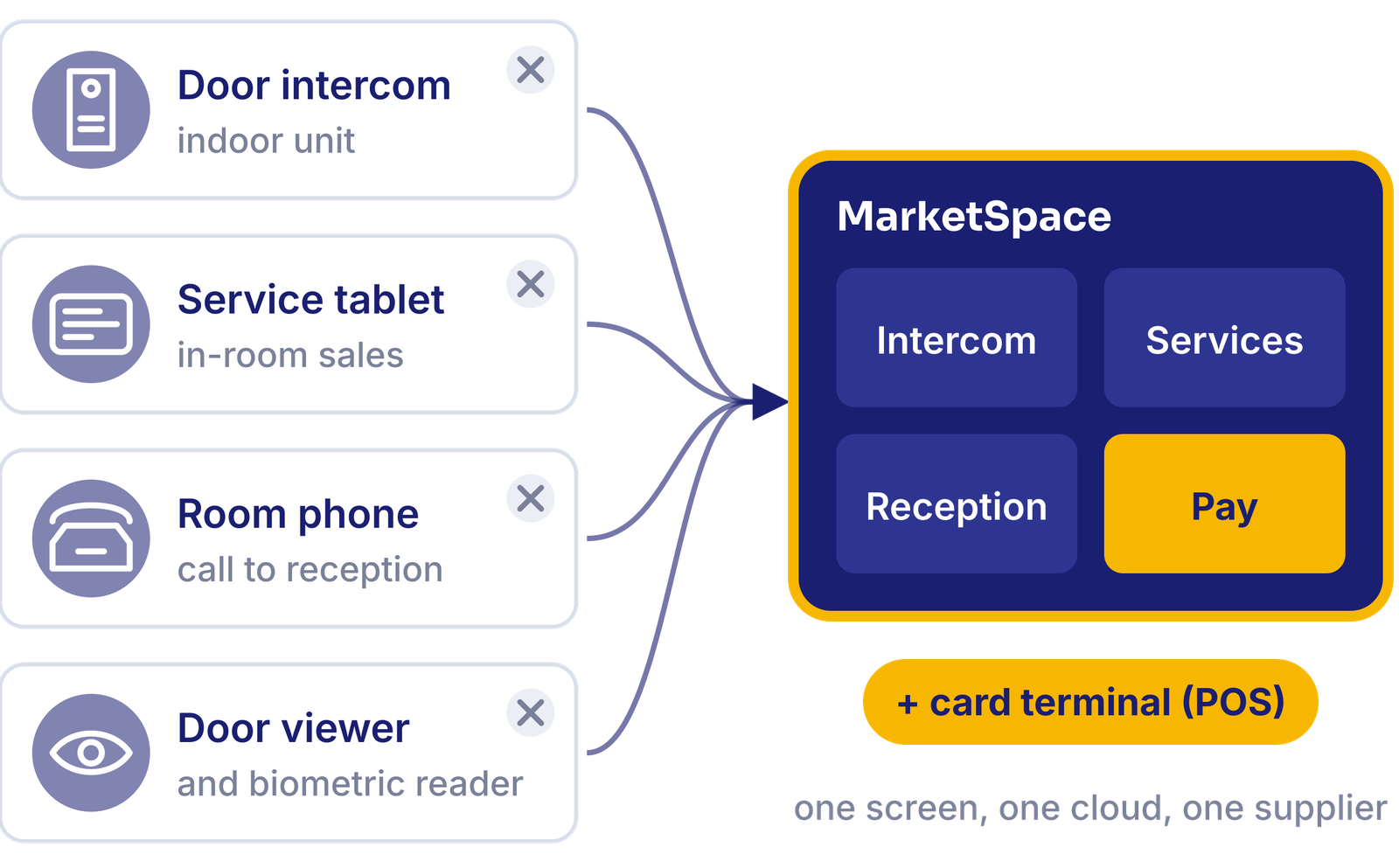
It plugs into what the building already runs
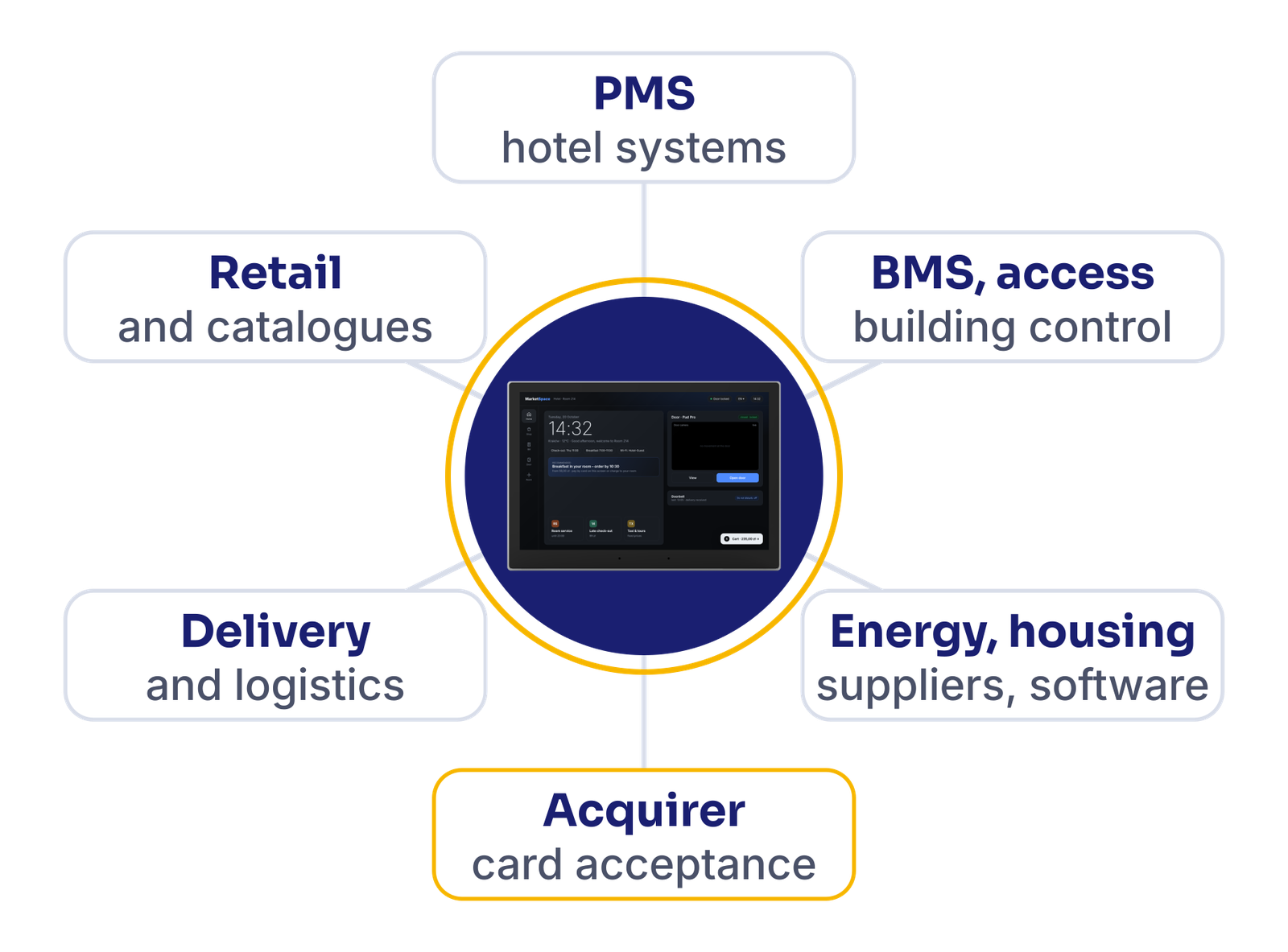
PMS for check-in, the room bill and local-fee data; BMS and access control; the acquirer partner with each merchant’s own account; energy suppliers and housing software; retail and catalogue partners; delivery to the door. Each integration is confirmed per site, and SPACE already integrates hotel PMS systems.
What each side gets
Guests, residents and patients
Order and pay where they are, in their language, with the card or phone they already have. No app, no queue, no cash.
Hotels and property owners
More in-room orders, fewer room-bill disputes, the local fee calculated and reported, and one device instead of four in every room.
Merchants
A new point of sale behind every door: their own catalogue, opening hours, orders and settlement to their own account.
Operators and managers
One panel for properties, merchants, devices, orders and reports, with a full ledger from the first day.
MarketSpace devices: one module, four forms
One MarketSpace Module, the same Android touch screen built on WizarPOS with SPACE electronics, sits in every variant. Only the housing changes: plastic or aluminium, adapted to the project. Images are design visualisations.
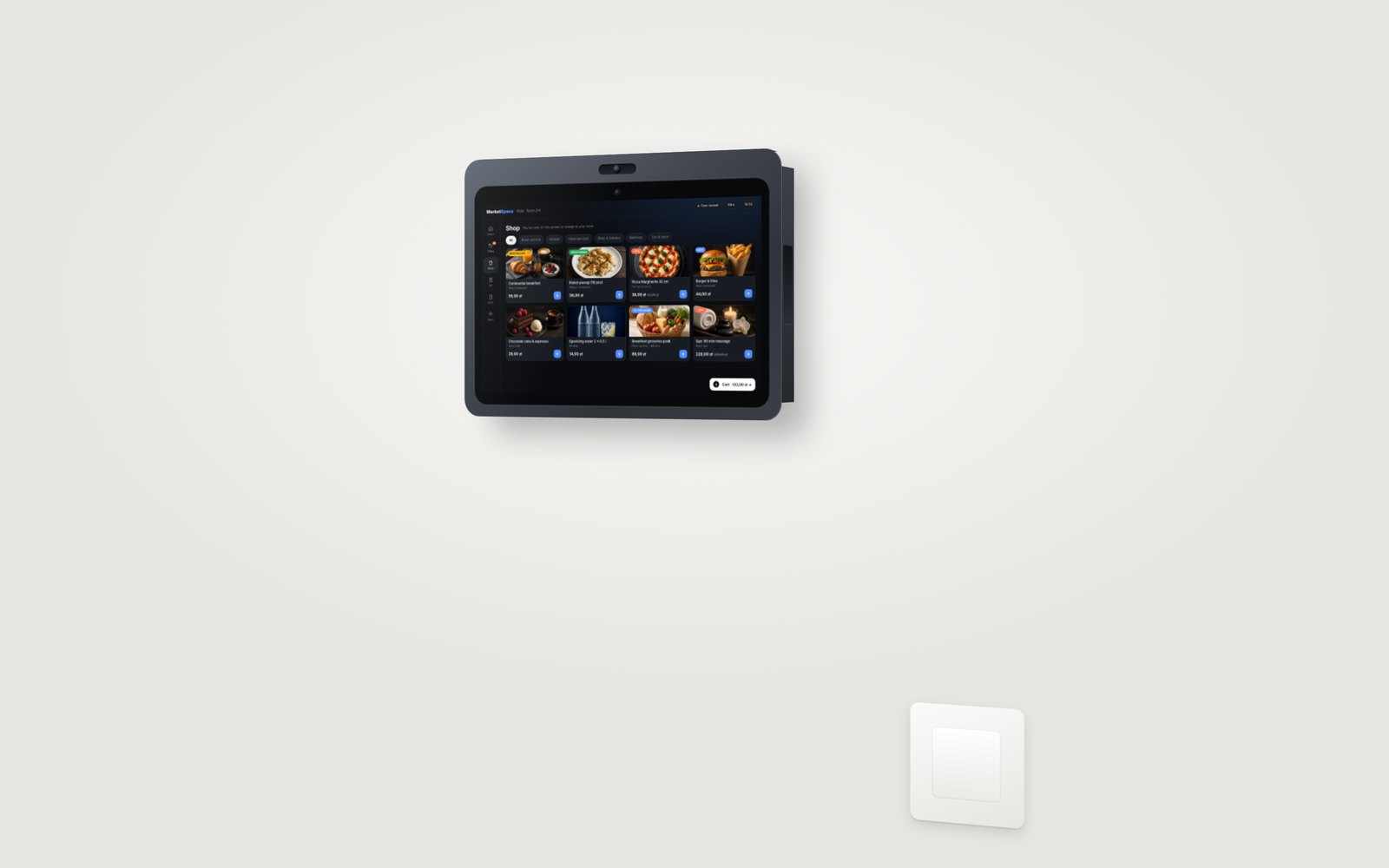
MarketSpace Wall
Visualisation. Surface mount by the bed, desk or entrance; aluminium housing, camera module optional.
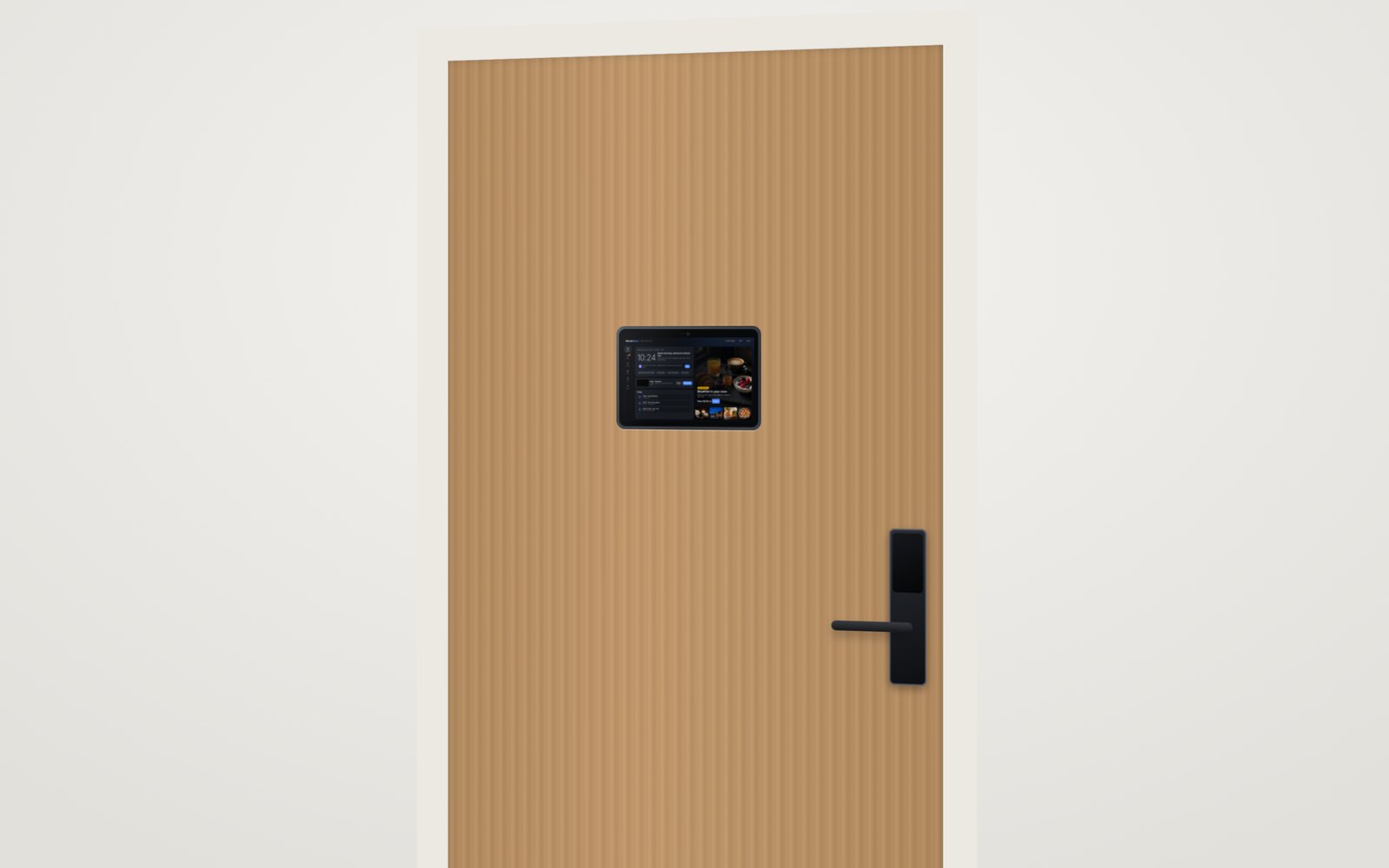
MarketSpace Door
Visualisation. Flush in the door leaf or wall, at eye level, next to the SPACE access panel.
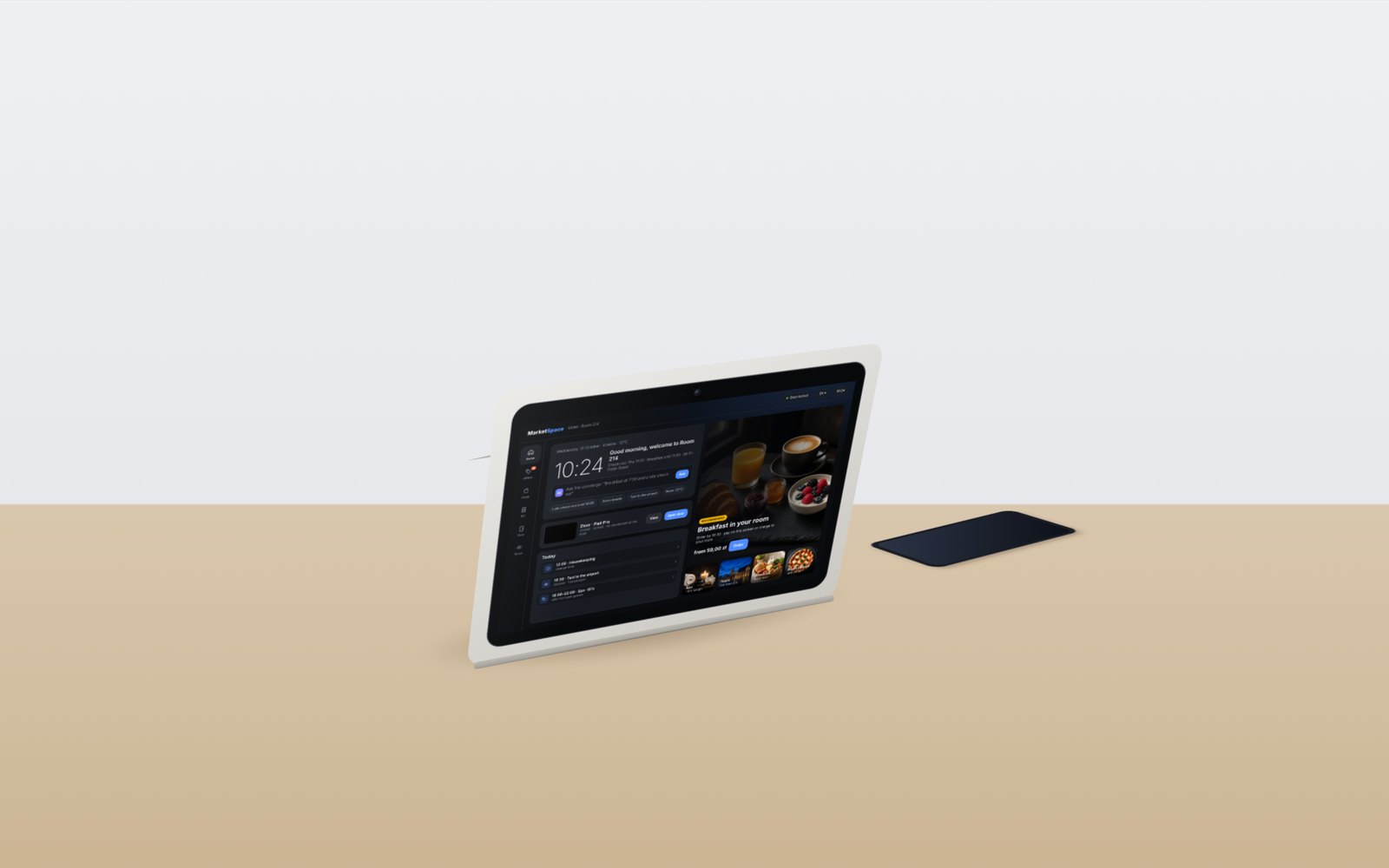
MarketSpace Desk
Visualisation. Snap-on desk housing for rooms, receptions and offices; no drilling.
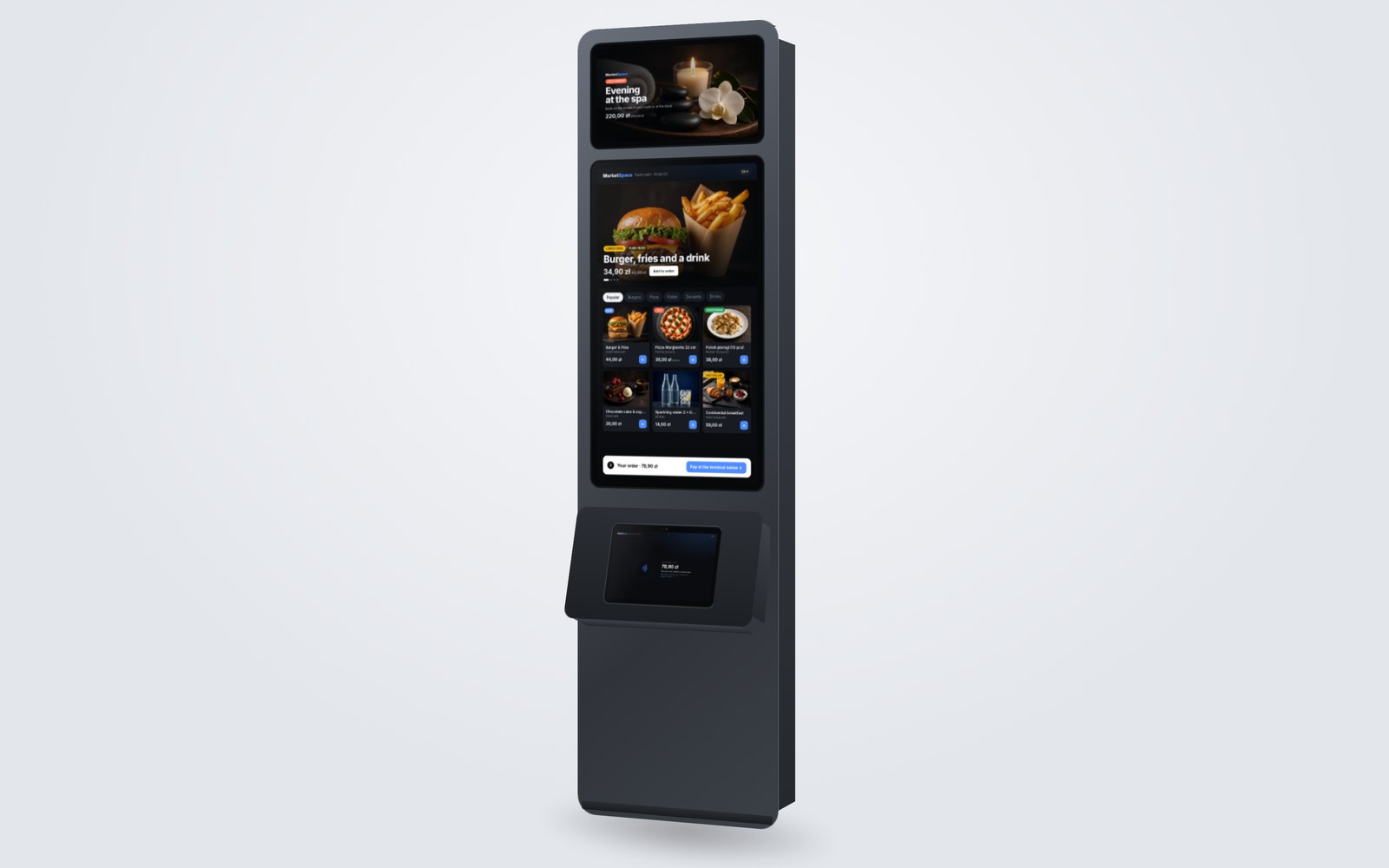
MarketSpace Kiosk
Visualisation. Advertising screen, portrait ordering screen and the same module as the payment station.
One MarketSpace Module, the screen with its electronics, takes interchangeable housings: surface mount on the wall, flush in the door or wall, a snap-on desk housing that needs no drilling in branded hotels, the kiosk, or a dock that mates with the 3×2 rear contacts. Housings in plastic or aluminium, adapted to the project. LAN or Wi-Fi; power over PoE or from a mains socket.
One module, a family of housingsExpandable with SPACE modules
Availability
01
Available for pilots now
Door/wall and desk versions with ordering, services, room control, access, payment to the room bill, and contactless card or phone payments (tap to pay) with per-order limits.
02
PIN on the screen: planned for 2027
Card payments with the PIN entered on the screen are planned for 2027. The device is designed for PIN-on-glass and contactless payments, and the payment version is being prepared for certification.
03
One base, one software
The door screen and the payment version use the same base device and the same MarketSpace software; SPACE adds the backs, housings and modules.
MarketSpace Kiosk
A self-service kiosk for lobbies, food courts, stations and public spaces, built around the same MarketSpace Module. The portrait main screen shows offers and the menu, the module below works as the payment station with the amount on its own screen, and an advertising screen at the top runs promotions alongside.
- Portrait main screen: offers and adverts first, then the menu with photos, categories and badges
- Payment station: the MarketSpace Module on a tilted shelf, card, watch or phone
- Advertising screen for promotions from the venue and its partners, managed from the MarketSpace panel
- Free-standing or wall-mounted; body in aluminium or plastic, adapted to the site
Visualisation. Dimensions and screen sizes are confirmed in the project documentation.
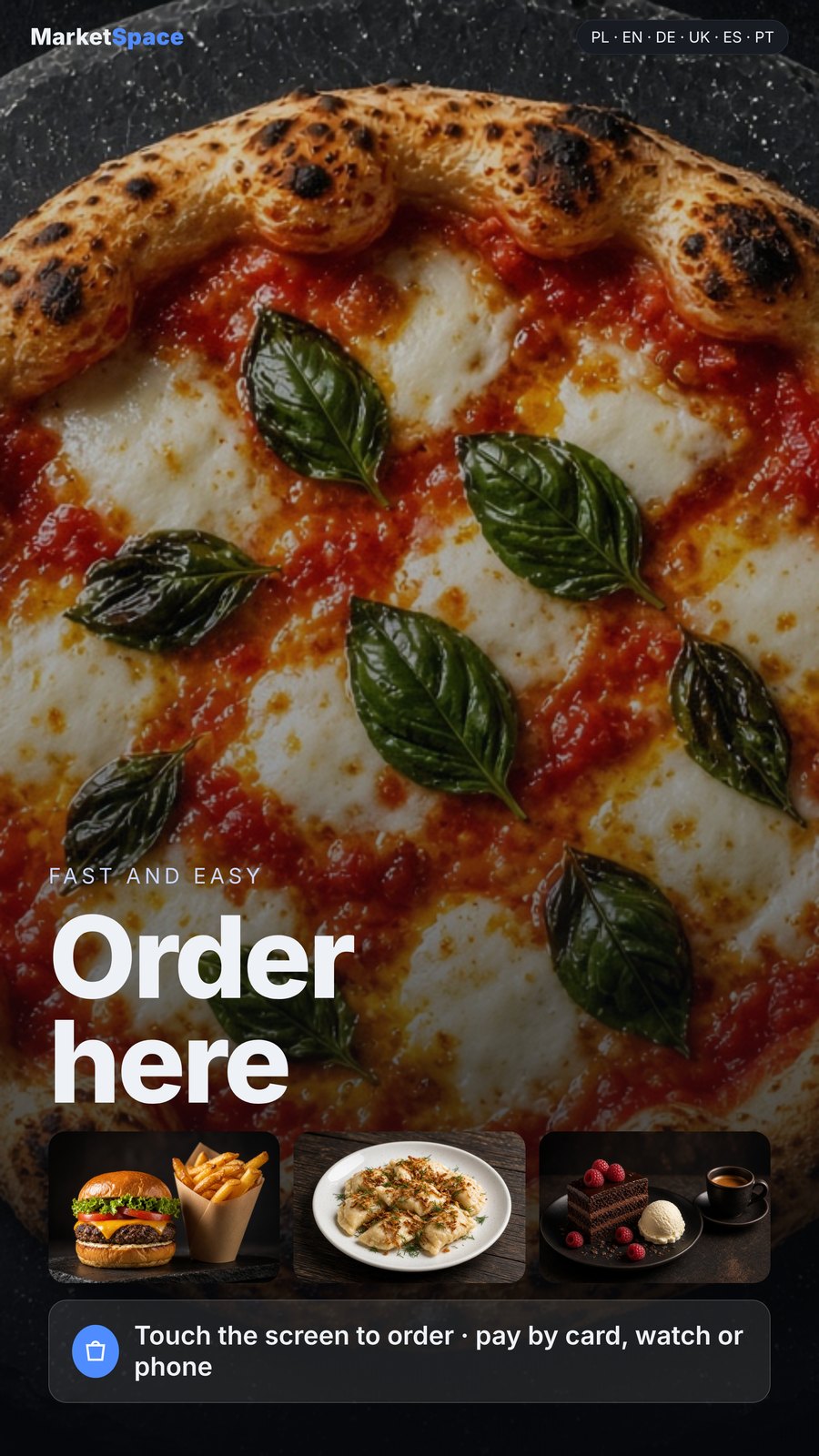
Start and adverts
The idle screen works as an advert and invites guests to order.
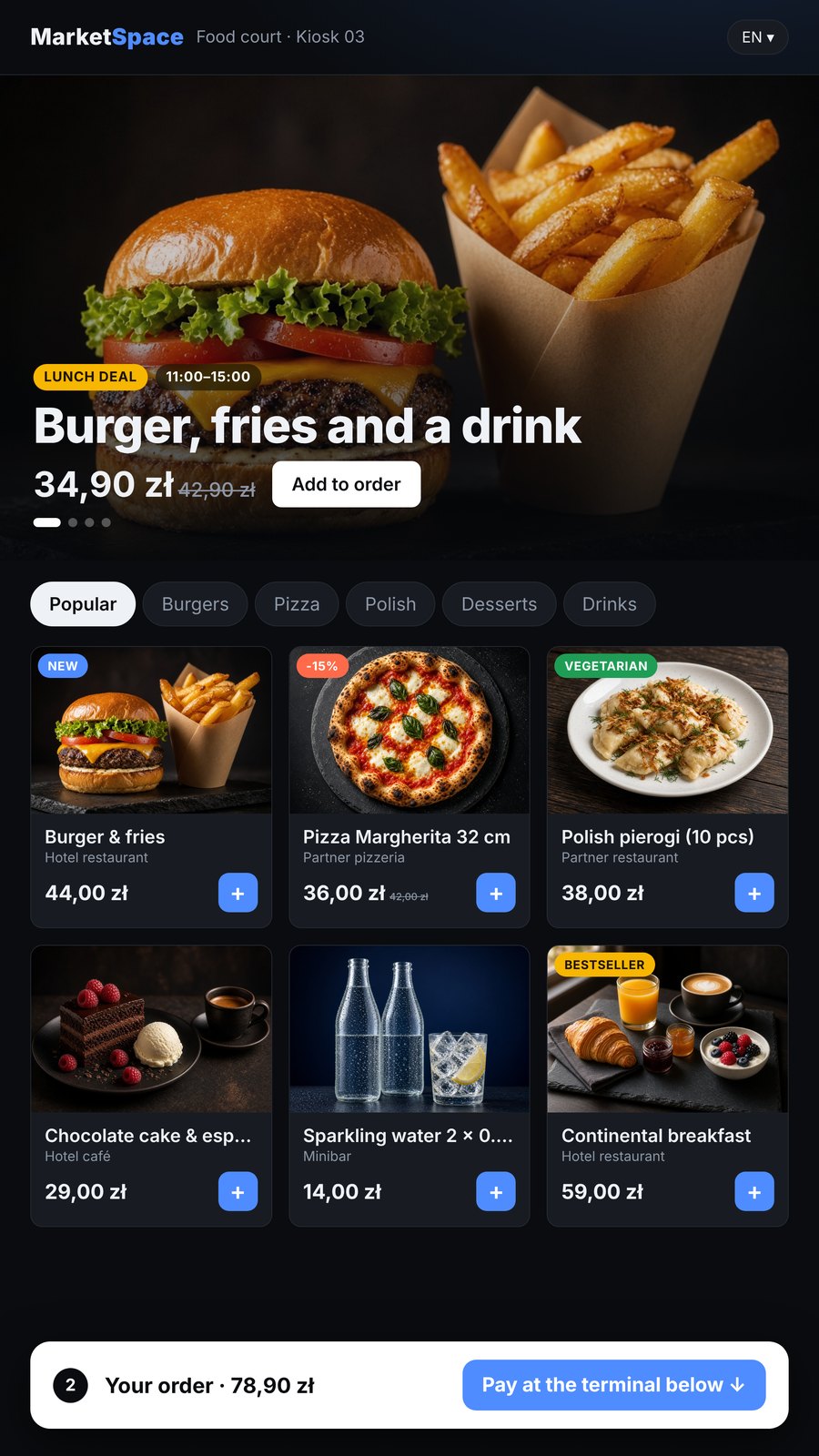
Offers first, then the menu
A promotion at the top, then categories and products as photo tiles with badges.
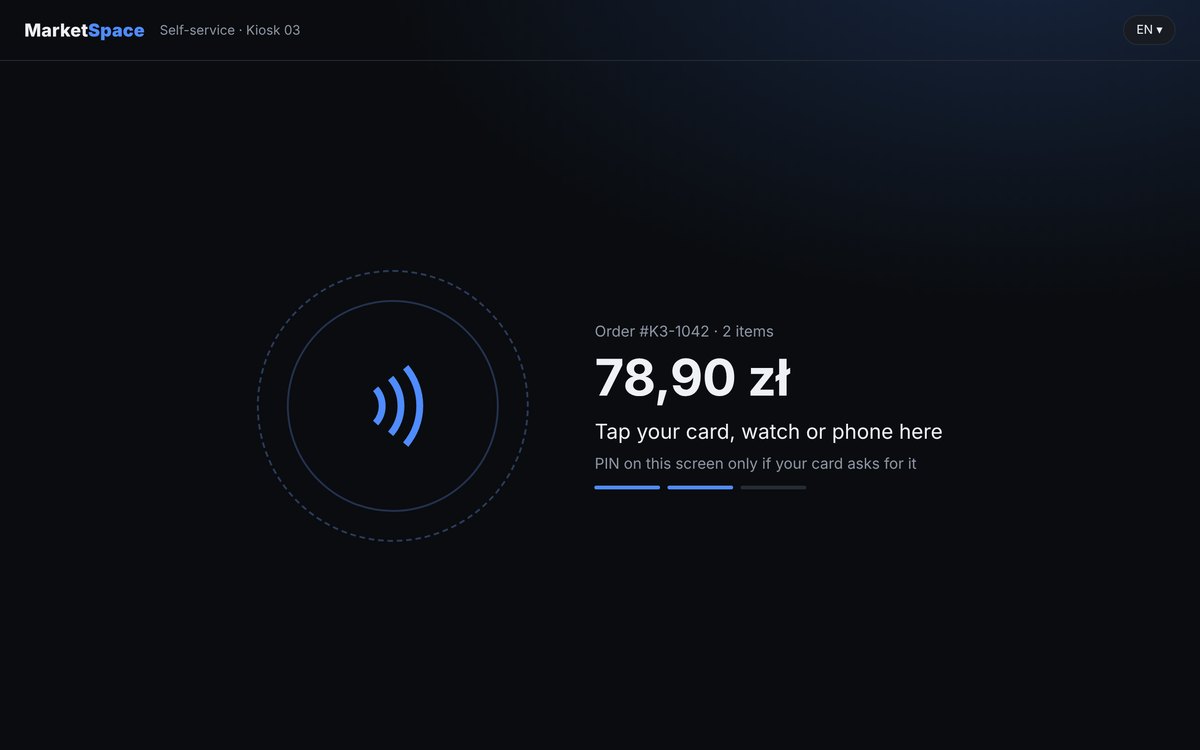
Payment module
The lower module shows the amount and takes card, watch or phone.
Where MarketSpace goes next: from the room to the Smart City
MarketSpace is growing into the Smart City layer of SPACE Intelligence: the same catalogue, payment and access logic, from the room and the building to streets, stations and public spaces. These are directions we are developing; availability is confirmed per project.
SPACE AI concierge
Orders and pays within limits the guest sets.
Biometric confirmation
The sensors that open the door may confirm a payment, opt-in only, with tap always available.
Every seat is a door
Headrest screens in business-class trains, cruise-ship cabins and waiting rooms.
Delivery with access
Couriers get one-time access to the entrance and floor for the time of the delivery.
Kiosks with advertising screens
Self-service kiosks with a lower payment module and an additional screen for promotions from the venue and its partners.
City services and local offers
Kiosks, vending, parking, EV charging and lockers in public spaces on one panel and one ledger, with offers from local merchants by place and hour.
ConciergeProfiling & optimisation
Functions are configured for each building. What is available depends on the devices installed and the systems connected; we confirm the scope in every project.
See MarketSpace in your building
Tell us the type of building, the number of rooms or units, your PMS and the services you want to sell. We will show the screen and the panel on your own catalogue.
Phone: +48 533 909 533